Oracle Enterprise Data Management (EDM) 26.04 was released to test environments on Friday, April 3, 2026. This release contains patches from EDM 25.12 through EDM 26.03, as Oracle paused the monthly patch cadence for the preceding four months. The result is a packed release with 38 enhancements — many of which directly address the most frequently requested features from our clients.
Below are my top 5 picks. These are the enhancements I believe will have the greatest real-world impact, and I have already seen strong client interest in each of them.
Full release notes: docs.oracle.com/en/cloud/saas/readiness/epm/2026/edm-apr26
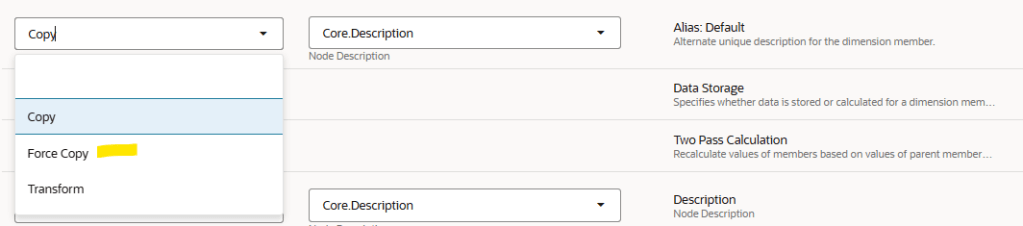
1, Force Copy Operation for Properties in Node Type Converters
A new Force Copy operation is now available for node type converters. It enables you to copy default, derived, and inherited property values from source nodes to their corresponding nodes of a different node type — even when those values are not stored on the source.
During node type conversion, these values become stored values on the target node. Force Copy also handles any defined or derived-and-stored property values from source to target. This operation works across three key workflows:
- Manually inserting nodes across viewpoints
- Creating request items from compare results
- Generating subscription request items where node type converters are applicable
| Business Benefit: Default, inherited, and derived property values for nodes in a source viewpoint can be copied as defined property values to similar nodes of a different node type in a target viewpoint. |
| Note: This option is not applicable for Name and Parent properties. |

2, Global Connections to Microsoft Azure Blob Storage
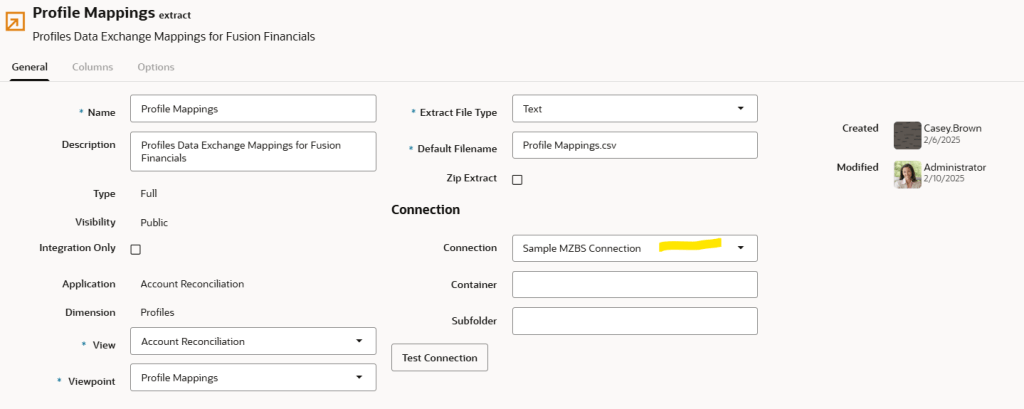
EDM now supports global connections to Microsoft Azure Blob Storage, allowing you to define a centralised cloud storage location that can be shared across multiple extracts and extract packages. Once a global connection is configured, extracts can transfer data files directly to an Azure Blob Storage container. Consuming downstream systems and applications can then retrieve the data from that shared
staging location. Files can be written to either the root folder of the target container or to a specified subfolder.
This removes the need for an intermediate file server or local storage layer in many integration architectures — particularly for organisations already running workloads on Microsoft Azure.
| Business Benefit: The Azure Blob Storage container can serve as a temporary staging area to integrate EDM with downstream systems, or provide permanent storage of enterprise data for a federated data repository. |
Configuration tip
Once your global connection is set up, navigate to your extract or extract package and point it to the new Azure connection. The target path and subfolder can be configured directly in the extract inspector.
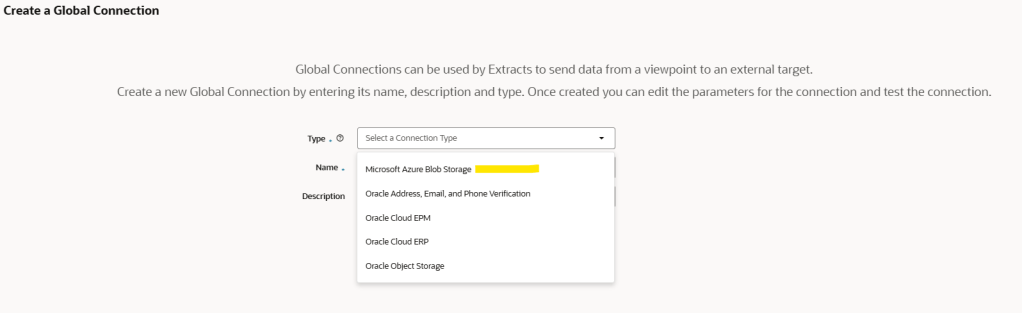
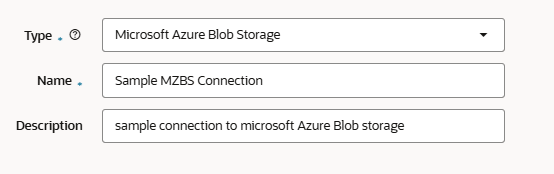
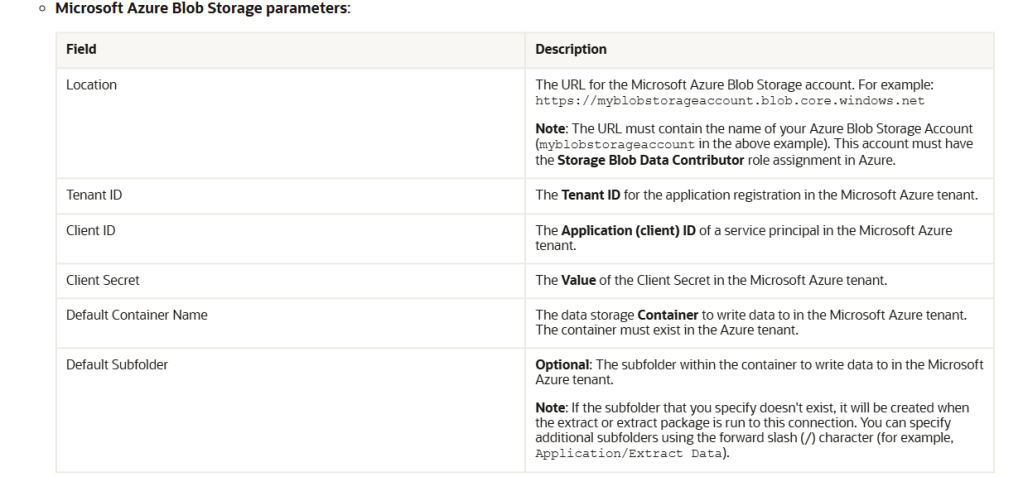
Connection update in Extract.
3, Unknown Target Parent Option for Subscriptions Between Hierarchy Viewpoints.
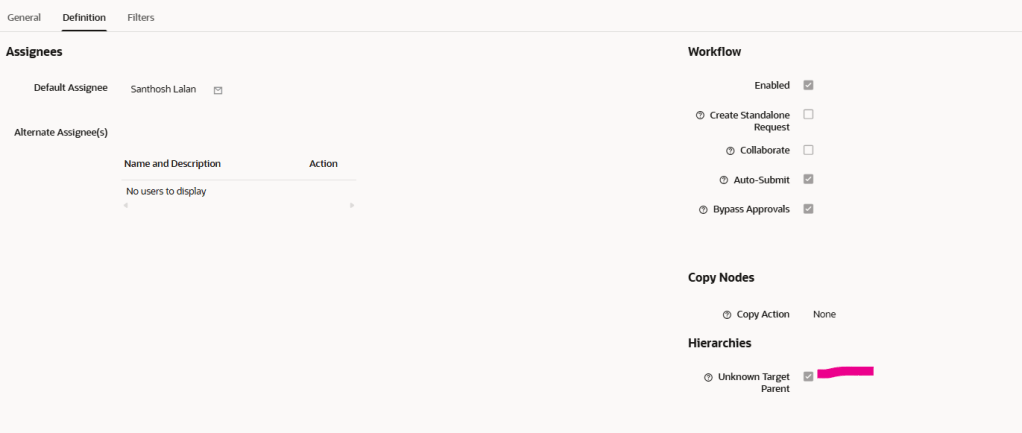
A new Unknown Target Parent parameter is available for subscriptions between hierarchy viewpoints. When enabled, it prevents source parent information from being propagated to the target — instead forcing the parent of each synchronised node to be calculated in the target viewpoint.
This is particularly useful in organisations where alternate hierarchies share the same set of nodes but arrange them under different parents. Previously, achieving this required workarounds or complex transformation logic. Now it can be handled natively through a single subscription parameter.
The Unknown Target Parent option is compatible with both same-node-type subscriptions and those requiring node type conversion. It also overrides any parent transformations configured in node type converters.
| Business Benefit: Common nodes can be synchronised between alternate hierarchies that have different parents and structure, by allowing the target parent for a node to be calculated rather than copied from the source. |
Implementation tip
In the target viewpoint, set the Parent column to Calculate & Store and define your expression as required. Then enable the Unknown Target Parent option in the Subscription window — this instructs EDM to ignore the source parent value and evaluate the expression to determine placement in the target.
4, Validate Derived and Stored Properties With Uniqueness Constraints
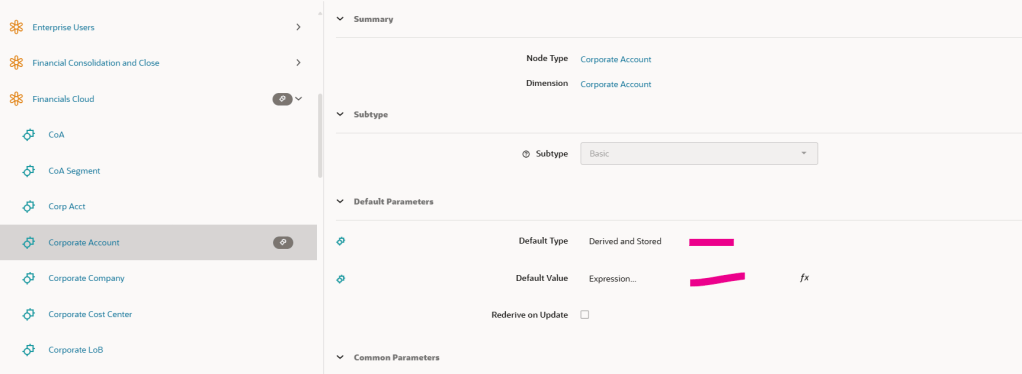
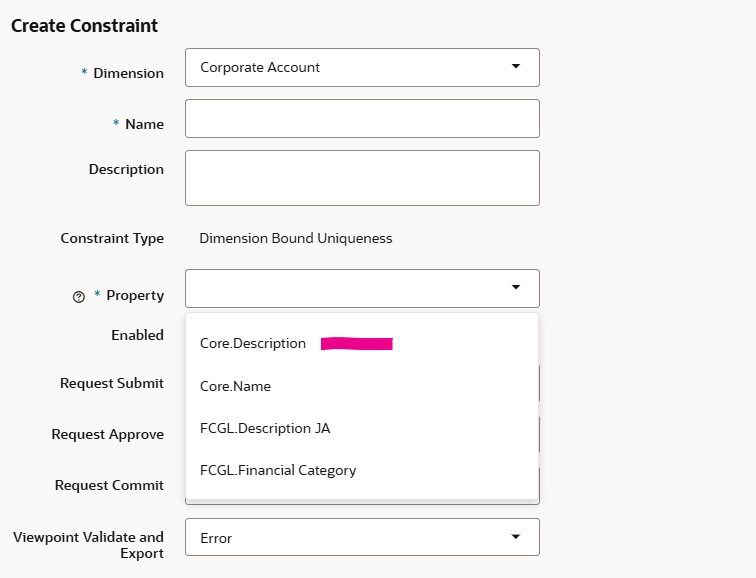
Uniqueness constraints can now be applied to properties that use the Derived and Stored default type. Previously, only properties with a Defined origin were available for selection when configuring a uniqueness constraint — this restriction has now been lifted.
To be evaluated by a uniqueness constraint, a property value must have either a Defined or Derived and Stored origin. If a property’s default type is changed to Derived and Stored after constraints are configured, the value for each node must first be derived and stored before the uniqueness check can run against it.
| Business Benefit: Derived and stored property values for nodes can be validated for uniqueness to ensure those references are distinct within a specified scope — such as an application, dimension, or set of node types. |
Example use case
A common scenario is a Description property configured as Derived and Stored, where the derived value must be unique across all nodes within a dimension. With this enhancement, the property now appears in the constraint selector, and the uniqueness rule will be evaluated during the standard validation cycle.
5, Use Source Property From List Viewpoint For Target Parent In Subscriptions
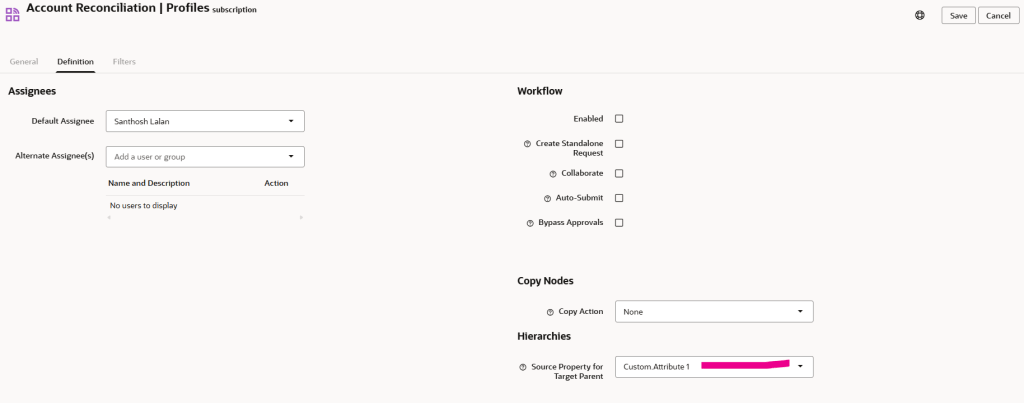
Subscriptions from list viewpoints to hierarchy viewpoints now support a Source Property For Target Parent parameter. This allows a node-level property in the source list viewpoint — of either String or Node data type — to dynamically define where each node is inserted in the target hierarchy.
When a node is added to the source list, the value of the nominated property is read and used to place the node under the correct parent in the hierarchy viewpoint. When that property is subsequently updated, EDM automatically moves the node from its current parent to the new one — making the hierarchy a live reflection of the list data.
| Business Benefit: Nodes synchronised from list to hierarchy viewpoints can be inserted and later moved in the target hierarchy when properties for nodes are updated in the source list — enabling dynamic hierarchy management driven by flat list data. |
Configuration tip
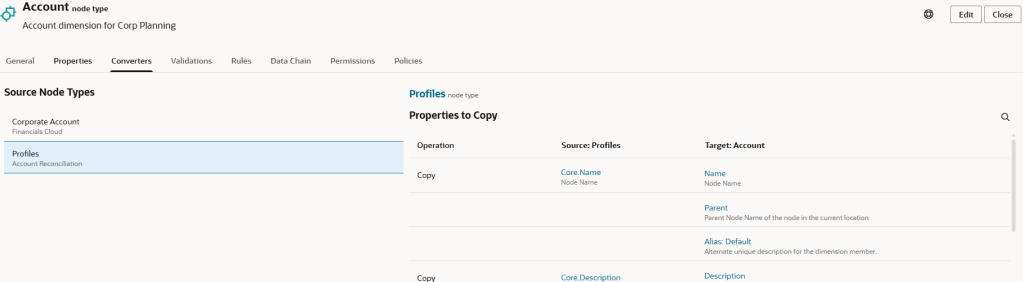
In the Node Type Converter, leave the Parent column empty. In the Subscription definition tab, use the Source Property For Target Parent parameter to select the property from the list viewpoint that will act as the parent reference in the hierarchy viewpoint.
Final thoughts
EDM 26.04 is a strong release — and a welcome catch-up after four months without a patch. The features covered here are not just incremental improvements; several of them fundamentally expand what is possible with subscriptions and node type converters, which sit at the heart of most EDM implementations.
If you are working on an EDM implementation or upgrade, I would recommend reviewing the full release notes and assessing which of these 38 enhancements are applicable to your solution design. I will be covering more features in follow-up posts.
Full release notes: Oracle EDM April 2026 Readiness Documentation
 Site Title
Leave a comment